AWS VPN Gateway: What It Is, How It Works, and When to Use It
Learn how AWS VPN gateways connect networks, compare Site-to-Site and Client VPN, and choose the right setup for your needs.
An AWS VPN gateway provides a secure way to connect a network to AWS over an IPsec VPN connection. For a typical office-to-cloud connection, AWS Site-to-Site VPN links your on-premises network to an Amazon Virtual Private Cloud (VPC). In AWS, the VPN endpoint is commonly a virtual private gateway attached to the VPC or a transit gateway used to connect multiple networks.
The term “AWS VPN gateway” is often used broadly, so it helps to distinguish the gateway from the complete VPN connection. A working setup also requires a customer gateway representing your router or firewall, VPN configuration, routing, and appropriate security rules.
| VPN | Obfuscation | From / month | Plan | Free plan | Refund | Alipay | UnionPay | Crypto | Website opens in China | Trustpilot | |
|---|---|---|---|---|---|---|---|---|---|---|---|
 ZoogVPN | Turn on manually Shadow | $2.49/mo | 27 months: $59.99 | Yes | 7 days | ✓ | ✓ | ✓ | ✓ | Official site blocked; our special link opens (4.4 s) | 4.2/5 (195 reviews) |
 NordVPN | Turn on manually Obfuscated Servers / NordWhisper | $3.49/mo | 27 months: $94.23 | No | 30 days | ? | ✗ | ✓ | ✓ | ✗ Blocked | 4.2/5 (51,628 reviews) |
 ExpressVPN | ✓ On by default all servers | $3.00/mo | 28 months: $84 | No | 30 days | ✗ | ✗ | ✓ | ✗ | ✗ Blocked | 4.4/5 (29,706 reviews) |
 Surfshark | ✓ On by default Camouflage, with OpenVPN | See site | See site | No | 30 days | ✗ | ✗ | ✗ | ✓ | ✗ Blocked | 4.3/5 (31,823 reviews) |
 Proton VPN | Turn on manually Stealth, free plan too | $2.99/mo | 12 months: $35.88 | Yes | 30 days | ✗ | ✗ | ✗ | ✓ | ✗ Blocked | 2.1/5 (1,040 reviews) |
 Astrill VPN | Turn on manually StealthVPN / OpenWeb | $12.50/mo | 24 months: $300 | No | See site | ✗ | ✗ | ✗ | ✓ | ✗ Blocked | 1.3/5 (110 reviews) |
 Private Internet Access | Turn on manually Shadowsocks, OpenVPN only | $2.03/mo | 40 months: $81.2 | No | 30 days | ✗ | ✗ | ✗ | ✗ | ✗ Blocked | 4.2/5 (11,033 reviews) |
 CyberGhost | Turn on manually selected servers | $2.19/mo | 28 months: $61.32 | No | 45 days | ✗ | ✗ | ✗ | ✓ | ✗ Blocked | 4.0/5 (24,178 reviews) |
 PureVPN | Turn on manually switch to OpenVPN | $1.69/mo | 60 months: $101.55 | No | 31 days | ? | ? | ✗ | ✓ | ✗ Blocked | 4.4/5 (17,994 reviews) |
 AdGuard VPN | ✓ On by default TrustTunnel | $2.99/mo | 24 months: $71.76 | Yes | 30 days | ✓ | ✗ | ✓ | ✓ | Official site blocked; our special link opens (3.7 s) | 4.3/5 (290 reviews) |
 Mullvad | Turn on manually QUIC / Shadowsocks / LWO | $5.61/mo | €5/mo | No | 14 days | ✗ | ✗ | ✗ | ✓ | ✗ Blocked | 3.2/5 (192 reviews) |
 Windscribe | Turn on manually Stealth / WStunnel | $5.75/mo | 12 months: $69 | Yes | See site | ✗ | ✗ | ✗ | ✓ | ✗ Blocked | 4.7/5 (13,355 reviews) |
 StrongVPN | Turn on manually Scramble, OpenVPN TCP | See site | See site | No | 30 days | ✓ | ✗ | ✗ | ✗ | ✗ Blocked | 4.4/5 (2,695 reviews) |
 LightXtreme 闪连 | Not listed | $7.08/mo | 12 months: $84.99 | Yes | 30 days | ✓ | ✓ | ✓ | ✓ | ✓ Yes (3.5 s) | No page |
Prices checked 2026-11-10 on each vendor's pricing page (cheapest long plan, USD). Check the vendor's checkout for the final price.
Obfuscation checked 2026-11-14 on each vendor's site and help center: "on by default" = nothing to set; "turn on manually" = switch protocol or mode in settings; "not listed" = the vendor describes no obfuscation.
Payment methods checked 2026-11-10 on each vendor's payment pages: all 14 take cards and PayPal; ✗ = not listed, ? = the vendor's own pages disagree.
China access: whether the official website opens from mainland China networks (tests the website only, not the VPN connection). Last checked 2026-11-18 01:02 Beijing time.
Trustpilot score and review count checked 2026-11-10.
Compare AWS VPN connectivity options
| Option | Connects | Typical use | Key components | Main trade-off |
|---|---|---|---|---|
| Site-to-Site VPN | On-premises network to AWS | Hybrid connectivity | Customer gateway and virtual private gateway or transit gateway | Encrypted connection over the internet |
| Client VPN | Individual users to AWS | Remote workforce access | Client VPN endpoint and client software | User-based access requires endpoint setup |
| Direct Connect | On-premises network to AWS | Consistent private connectivity | Direct Connect connection and virtual interface | Requires a dedicated network connection |
| VPN over Direct Connect | On-premises network to AWS | Encrypted traffic over Direct Connect | Direct Connect plus Site-to-Site VPN | More components to configure |
| Virtual private gateway | One VPC to VPN connections | Site-to-Site VPN for a VPC | Virtual private gateway attached to a VPC | VPC-scoped connectivity |
| Transit gateway | Multiple VPCs and networks | Centralized network connectivity | Transit gateway and attachments | Adds a central routing component |
Compiled November 2026; check the provider's site for current details.
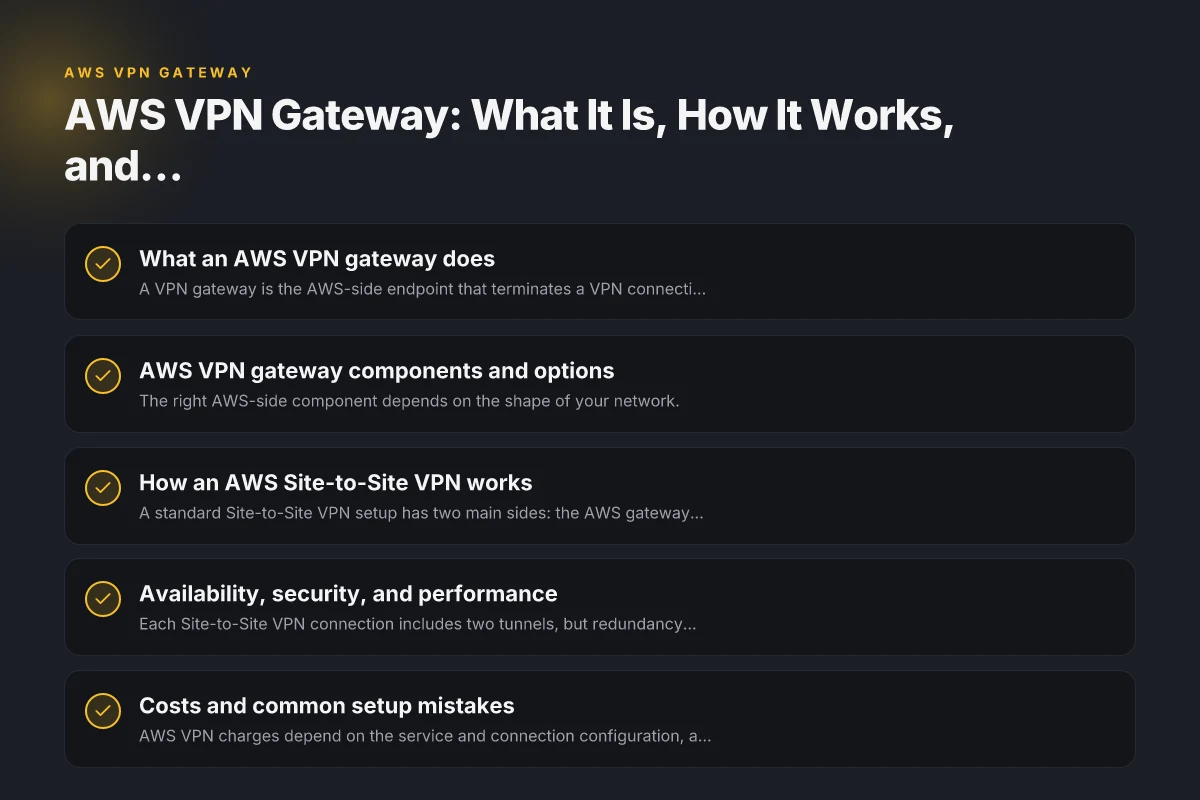
What an AWS VPN gateway does
A VPN gateway is the AWS-side endpoint that terminates a VPN connection. It exchanges encrypted traffic with a compatible customer gateway device, such as an on-premises firewall or router. The connection typically uses IPsec, a widely supported protocol suite for securing network traffic across the internet.
For Site-to-Site VPN, AWS provides two tunnels for each connection. They offer redundancy: if one tunnel becomes unavailable, traffic can use the other, subject to your routing and failover configuration. AWS recommends configuring both tunnels for high availability.
The gateway does not automatically make every resource in your VPC accessible. You must also configure routes, security groups, network access control lists where needed, and your on-premises firewall rules. Access should be limited to the networks and services that need it.
AWS VPN gateway components and options
The right AWS-side component depends on the shape of your network. FortiClient VPN Connection Is Down: Causes and Fixes
Virtual private gateway
A virtual private gateway is attached to one VPC and serves as the AWS endpoint for Site-to-Site VPN connections to that VPC. It is often a straightforward choice when you need to connect one VPC to an on-premises network and do not need a central hub for many VPCs.
Transit gateway
An AWS Transit Gateway acts as a regional network hub. You can connect multiple VPCs and on-premises networks through it, then control how those networks communicate using transit gateway route tables. This is often a better fit for larger environments with several VPCs, offices, or AWS accounts.
AWS Client VPN
AWS Client VPN is a separate service for remote users. It lets individual users connect securely to AWS resources or, with suitable routing, other networks. It is not the same as a Site-to-Site VPN gateway, which connects networks rather than providing a client connection for each person.
| Option | Best for | Connection model |
|---|---|---|
| Virtual private gateway | A VPC connected to an on-premises network | Site-to-Site VPN |
| Transit gateway | Multiple VPCs and networks connected through a hub | Site-to-Site VPN and other network attachments |
| AWS Client VPN | Remote employees or contractors | Individual client-to-network access |
Choose a Site-to-Site VPN gateway setup Free VPN Extension for Edge Browser: What to Choose and How to Use It
| Setup choice | Best fit | Network scope | Routing approach | Consideration |
|---|---|---|---|---|
| Virtual private gateway | A single VPC | One VPC | Static or dynamic | Simple VPC-level attachment |
| Transit gateway | Multiple VPCs or networks | Shared network hub | Static or dynamic | Requires transit gateway routing |
| Static routing | Small, predictable route set | Routes configured manually | Static | Route changes need updates |
| Dynamic routing | Networks with changing routes | Routes exchanged between gateways | BGP | Requires BGP configuration |
| Single VPN connection | Basic connectivity needs | One VPN connection | Static or dynamic | Less connection redundancy |
| Multiple VPN connections | Greater resilience needs | Multiple connections | Static or dynamic | More configuration to manage |
Compiled November 2026; check the provider's site for current details.
How an AWS Site-to-Site VPN works
A standard Site-to-Site VPN setup has two main sides: the AWS gateway and a customer gateway. In AWS, you create a customer gateway resource to represent the public IP address and routing details of your on-premises device. You then create a VPN connection that links that resource to a virtual private gateway or transit gateway.
The basic setup process is:
- Choose the VPC or transit gateway that needs connectivity.
- Create or identify the customer gateway for your on-premises router or firewall.
- Create the Site-to-Site VPN connection and select routing options.
- Download the configuration instructions for your device or platform.
- Configure both VPN tunnels on the customer gateway device.
- Set up routes on AWS and on-premises networks.
- Confirm that security rules allow the required traffic, then test connectivity and failover.
AWS supports static routing and Border Gateway Protocol (BGP) routing, depending on the gateway and device setup. Static routes can suit a simple environment with few networks. BGP can exchange route information dynamically and is typically more flexible as networks change or expand. Forticlinet VPN: What It Is and How to Connect Securely
The address ranges on each side must be planned carefully. Overlapping VPC and on-premises CIDR blocks can prevent correct routing. Before creating the VPN, check that the networks you intend to connect use distinct, non-overlapping address ranges.
Availability, security, and performance
Each Site-to-Site VPN connection includes two tunnels, but redundancy depends on configuring and monitoring both sides. Your router or firewall must support the required tunnel configuration, and your routing design must be able to move traffic if a tunnel fails. For stronger resilience, consider connecting to separate AWS endpoints or using AWS Direct Connect with VPN where appropriate.
VPN traffic is encrypted in transit, but encryption alone does not determine who can reach a resource. Use security groups and network controls to restrict access, and limit on-premises firewall rules to the required traffic. Store VPN credentials and device configuration securely, and review access as network needs change.
Performance depends on factors such as tunnel configuration, traffic volume, packet size, routing, and the internet connection between AWS and your site. A VPN uses the public internet, so latency and throughput can vary. If your workload requires more predictable network performance or higher capacity, compare VPN with AWS Direct Connect or a combined Direct Connect and VPN design. Urban VPN Proxy Extension Edge: Setup, Features, and Safety Guide
Costs and common setup mistakes
AWS VPN charges depend on the service and connection configuration, and additional costs may apply for data transfer or other network services. Check current AWS pricing for your Region before deployment. AWS Client VPN has a different pricing model from Site-to-Site VPN, so compare the service that matches your access pattern rather than treating them as interchangeable.
Common problems include:
- Configuring only one of the two tunnels.
- Missing or incorrect routes on AWS or the customer gateway.
- Firewall rules that block VPN traffic or the application traffic inside the tunnel.
- Overlapping network address ranges.
- Using static routing when the network design requires dynamic route exchange, or vice versa.
- Assuming that an active tunnel means every VPC resource is reachable.
Use tunnel status, route tables, device logs, and connectivity tests together when troubleshooting. Check both directions of a connection: a request may reach AWS while the response lacks a valid route back to the source network.
Evaluate AWS Site-to-Site VPN for your network Microsoft Edge VPN Extension Free: What to Know Before You Install One
| Decision factor | AWS VPN provides | Check before setup | Common pitfall | Recommendation |
|---|---|---|---|---|
| Encryption | Encrypted VPN tunnels | Customer gateway compatibility | Treating VPN as unencrypted routing | Confirm both sides’ settings |
| Availability | Redundant VPN tunnels | Failover behavior | Assuming redundancy is automatic end to end | Test failover |
| Routing | Static routes or BGP | Route and prefix plans | Mismatched routes or BGP settings | Validate both sides’ routes |
| Performance | Internet-based VPN connectivity | Application throughput needs | Assuming performance is fixed | Test representative traffic |
| Security | Network connectivity controlled by routing and security rules | Access policies and allowed prefixes | Overly broad access | Limit permitted traffic |
| Costs | Charges may apply for VPN and related AWS resources | Applicable regional and usage charges | Reviewing only the VPN charge | Check current AWS pricing |
| Operations | Configuration and monitoring are required | Ownership and troubleshooting process | Skipping monitoring and documentation | Document and monitor the connection |
Compiled November 2026; check the provider's site for current details.
Recommendation
For one office or data center connecting to one VPC, start by evaluating a virtual private gateway with AWS Site-to-Site VPN. For several VPCs or locations, consider Transit Gateway as a central routing hub. For individual remote users, use AWS Client VPN instead. In every case, plan non-overlapping address ranges, configure both Site-to-Site tunnels, verify routes and security rules, and review current pricing and performance requirements before choosing a production design.