Axgate VPN: What It Is, How It Works, and How to Get Started

Learn what Axgate VPN does, how its client and authentication options fit together, and how to find the right setup.
Axgate VPN is a secure remote-access solution that connects users to resources protected by AXGATE VPN gateways. Its SSL VPN offering is designed to authenticate users before allowing access to system resources and information assets. To use it, you generally need an organization-approved client, the correct gateway details, and any required sign-in credentials or additional authentication.
Compare Axgate VPN access options
| Option | Best for | What you need | Setup effort | Main consideration |
|---|---|---|---|---|
| Desktop client | Regular computer access | Compatible computer and account | Install and configure | Check operating-system support |
| Mobile client | Phone or tablet access | Compatible device and account | Install and configure | Check app availability |
| Browser access | Occasional access to web resources | Supported browser and account | Sign in through the portal | May not support every resource |
| Managed device | Organization-issued equipment | Device approved by your organization | Often preconfigured | Follow organization policies |
| Personal device | Access from your own equipment | Permission and compatible client | Configure with approved settings | Review security requirements |
| Remote network access | Resources available through the VPN | Valid credentials and connection | Connect before opening resources | Access depends on authorization |
Compiled November 2026; check the provider's site for current details.
| VPN | Obfuscation | From / month | Plan | Free plan | Refund | Alipay | UnionPay | Crypto | Website opens in China | Trustpilot | |
|---|---|---|---|---|---|---|---|---|---|---|---|
 ZoogVPN | Turn on manually Shadow | $2.49/mo | 27 months: $59.99 | Yes | 7 days | ✓ | ✓ | ✓ | ✓ | Official site blocked; our special link opens (4.4 s) | 4.2/5 (195 reviews) |
 NordVPN | Turn on manually Obfuscated Servers / NordWhisper | $3.49/mo | 27 months: $94.23 | No | 30 days | ? | ✗ | ✓ | ✓ | ✗ Blocked | 4.2/5 (51,628 reviews) |
 ExpressVPN | ✓ On by default all servers | $3.00/mo | 28 months: $84 | No | 30 days | ✗ | ✗ | ✓ | ✗ | ✗ Blocked | 4.4/5 (29,706 reviews) |
 Surfshark | ✓ On by default Camouflage, with OpenVPN | See site | See site | No | 30 days | ✗ | ✗ | ✗ | ✓ | ✗ Blocked | 4.3/5 (31,823 reviews) |
 Proton VPN | Turn on manually Stealth, free plan too | $2.99/mo | 12 months: $35.88 | Yes | 30 days | ✗ | ✗ | ✗ | ✓ | ✗ Blocked | 2.1/5 (1,040 reviews) |
 Astrill VPN | Turn on manually StealthVPN / OpenWeb | $12.50/mo | 24 months: $300 | No | See site | ✗ | ✗ | ✗ | ✓ | ✗ Blocked | 1.3/5 (110 reviews) |
 Private Internet Access | Turn on manually Shadowsocks, OpenVPN only | $2.03/mo | 40 months: $81.2 | No | 30 days | ✗ | ✗ | ✗ | ✗ | ✗ Blocked | 4.2/5 (11,033 reviews) |
 CyberGhost | Turn on manually selected servers | $2.19/mo | 28 months: $61.32 | No | 45 days | ✗ | ✗ | ✗ | ✓ | ✗ Blocked | 4.0/5 (24,178 reviews) |
 PureVPN | Turn on manually switch to OpenVPN | $1.69/mo | 60 months: $101.55 | No | 31 days | ? | ? | ✗ | ✓ | ✗ Blocked | 4.4/5 (17,994 reviews) |
 AdGuard VPN | ✓ On by default TrustTunnel | $2.99/mo | 24 months: $71.76 | Yes | 30 days | ✓ | ✗ | ✓ | ✓ | Official site blocked; our special link opens (3.7 s) | 4.3/5 (290 reviews) |
 Mullvad | Turn on manually QUIC / Shadowsocks / LWO | $5.61/mo | €5/mo | No | 14 days | ✗ | ✗ | ✗ | ✓ | ✗ Blocked | 3.2/5 (192 reviews) |
 Windscribe | Turn on manually Stealth / WStunnel | $5.75/mo | 12 months: $69 | Yes | See site | ✗ | ✗ | ✗ | ✓ | ✗ Blocked | 4.7/5 (13,355 reviews) |
 StrongVPN | Turn on manually Scramble, OpenVPN TCP | See site | See site | No | 30 days | ✓ | ✗ | ✗ | ✗ | ✗ Blocked | 4.4/5 (2,695 reviews) |
 LightXtreme 闪连 | Not listed | $7.08/mo | 12 months: $84.99 | Yes | 30 days | ✓ | ✓ | ✓ | ✓ | ✓ Yes (3.5 s) | No page |
Prices checked 2026-11-10 on each vendor's pricing page (cheapest long plan, USD). Check the vendor's checkout for the final price.
Obfuscation checked 2026-11-14 on each vendor's site and help center: "on by default" = nothing to set; "turn on manually" = switch protocol or mode in settings; "not listed" = the vendor describes no obfuscation.
Payment methods checked 2026-11-10 on each vendor's payment pages: all 14 take cards and PayPal; ✗ = not listed, ? = the vendor's own pages disagree.
China access: whether the official website opens from mainland China networks (tests the website only, not the VPN connection). Last checked 2026-11-18 01:02 Beijing time.
Trustpilot score and review count checked 2026-11-10.
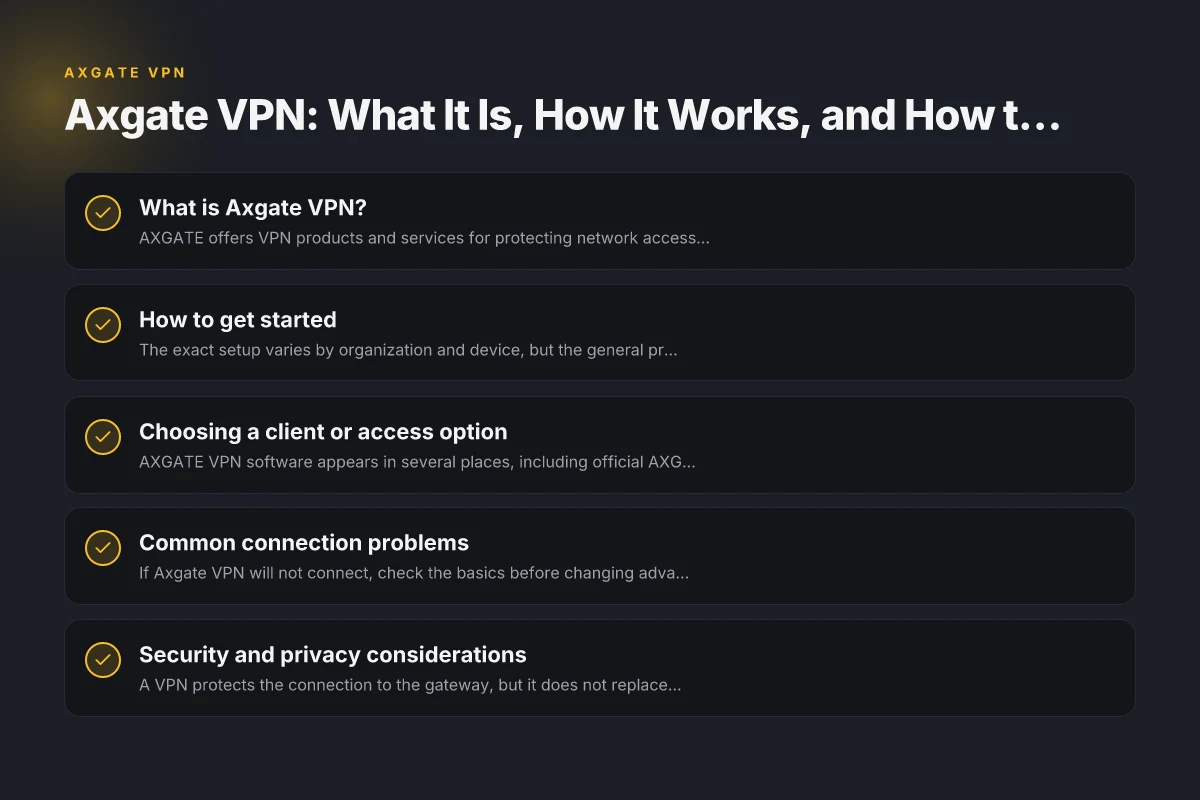
What is Axgate VPN?
AXGATE offers VPN products and services for protecting network access. Its SSL VPN is intended to secure connections between remote users and protected organizational resources. AXGATE also offers gateway and firewall solutions that can include VPN capabilities, such as IPsec and SSL VPN.
A VPN creates an encrypted connection between a user’s device and a VPN gateway. The gateway applies the organization’s access policies, so a successful connection does not necessarily mean every internal service will be available. Your permissions and the organization’s configuration determine what you can reach.
The client and the gateway
The AXGATE VPN Client is a remote-access application designed to create secure, encrypted connections to AXGATE VPN gateways. The client is the software on your device. The gateway is the network-side system that authenticates users and manages access.
Your employer, school, or service provider may specify which client version to use, which gateway address to enter, and whether extra configuration is needed. Follow those instructions rather than relying on settings from an unrelated installation. FortiClient VPN Download Windows 11: Safe Setup and Connection Guide
How to get started
The exact setup varies by organization and device, but the general process is:
- Confirm that you need Axgate VPN. Ask your IT administrator or service provider whether your account is enabled and which resources require a VPN connection.
- Get the approved client. Use the source recommended by your organization or an official AXGATE resource. Confirm that the app is compatible with your device.
- Collect the connection details. You may need a gateway address, username, password, certificate, or other organization-specific information.
- Sign in and complete authentication. If your organization uses AXGATE OTP, it can generate a second authentication code for VPN access. Use the method and instructions provided by your administrator.
- Check access. Once connected, test the specific work resource you need. If it is unavailable, verify your connection and permissions with IT.
A client download alone does not grant access. The gateway must recognize your account, and the organization must allow your device and requested resources.
Choosing a client or access option
AXGATE VPN software appears in several places, including official AXGATE resources and app listings. The appropriate option depends on your operating system and your organization’s deployment.
| Option | What it is for | What to check |
|---|---|---|
| AXGATE VPN Client | Remote access to an AXGATE VPN gateway | Confirm the correct version and configuration with IT |
| AXGATE OTP | Generates a second authentication code for VPN access | Check whether your organization requires it |
| AXGATE SSL VPN resources | Product information and related AXGATE materials | Use these to understand the solution, not as a substitute for access instructions |
| AXGATE firewall or cloud offerings | Network security products that may include VPN features | Confirm whether your organization actually uses that service |
An app listing or third-party download page may provide information, but it may not contain the configuration your organization requires. Prefer administrator-provided links and documented setup steps. Never enter your work credentials into software unless you have verified that it is the approved client. Fortin VPN: What It Is and How to Set Up FortiClient VPN
Troubleshoot common Axgate VPN connection problems
| Symptom | Possible cause | What to check | Next step | Security note |
|---|---|---|---|---|
| Sign-in fails | Incorrect credentials | Username and password | Reset through the approved process | Never share credentials |
| VPN will not connect | Network interruption | Internet connection | Try a trusted network | Avoid untrusted public Wi-Fi |
| Connection drops | Unstable network | Wi-Fi or mobile signal | Reconnect when stable | Keep protection enabled |
| Resources remain unavailable | Access not authorized | Account permissions | Contact your administrator | Do not bypass access controls |
| Client will not start | App or device issue | Client version and device settings | Use an approved update | Avoid unofficial downloads |
| Certificate warning appears | Certificate or configuration issue | Server details and device date | Verify with your administrator | Do not ignore unexpected warnings |
Compiled November 2026; check the provider's site for current details.
Common connection problems
If Axgate VPN will not connect, check the basics before changing advanced settings:
- Incorrect gateway or sign-in details: Recheck the address and credentials supplied by your administrator.
- Missing second factor: If AXGATE OTP or another authentication method is required, make sure you complete that step.
- Outdated or wrong client: Your organization may require a particular client build or platform-specific instructions.
- Account or permission issue: VPN access can be disabled, restricted, or limited to certain resources. Contact IT to confirm your account’s access.
- Network or device restrictions: A local network, firewall, or device policy may prevent a connection. Ask your administrator before altering security settings.
Share the exact error message and your device type with your support team. Avoid sending passwords or one-time codes in a support request. Proxy Server: What It Is, How It Works, and When to Use One
Security and privacy considerations
A VPN protects the connection to the gateway, but it does not replace safe device practices. Keep the client and operating system updated, use strong account credentials, and protect any second-factor method. Connect only through the gateway and software approved for your organization.
Also remember that organizations may apply security controls or logging to VPN traffic. If you need to know what is monitored or which resources are routed through the VPN, consult your organization’s policy or IT team.
Decide whether Axgate VPN fits your needs
| Decision factor | Good fit when | Check before starting | Caution | Recommended action |
|---|---|---|---|---|
| Access purpose | You need authorized organizational resources | Which resources are available | VPN access does not grant every permission | Confirm access with your organization |
| Device compatibility | Your device supports an approved client | Operating-system and client support | Compatibility may vary | Use the organization’s guidance |
| Account readiness | You have an active authorized account | Sign-in details and permissions | Shared accounts reduce accountability | Use your own credentials |
| Privacy expectations | You understand what your organization manages | Applicable policies and logging | VPN use does not guarantee anonymity | Review the privacy notice |
| Network choice | You can connect through a trusted network | Network stability and security | Public networks may add risk | Prefer a trusted connection |
| Support needs | You know where to get technical help | Administrator or help-desk contact | Unapproved fixes can create risk | Ask support before changing settings |
Compiled November 2026; check the provider's site for current details. EqualVPN Review: What It Offers and Who It May Suit
Recommendation
If you are looking for Axgate VPN to access work or school resources, start with your organization’s IT instructions. Install the approved AXGATE VPN Client, use the gateway details they provide, and set up AXGATE OTP if required. For product information, consult AXGATE’s official resources. For connection or access problems, contact the administrator managing your VPN.