WatchGuard SSLVPN: How It Works, Setup, and Security Best Practices
Learn how WatchGuard SSLVPN provides secure remote access, how to configure it, and how to protect users and networks.
WatchGuard SSLVPN is a remote-access VPN service built into WatchGuard Firebox appliances. It lets authorized users connect to a private network over an encrypted connection, usually through the WatchGuard Mobile VPN with SSL client. Organizations use it to provide staff or contractors with access to approved internal systems when they are working outside the office.
The service is not simply a way to make an internet connection private. It creates a controlled path into an organization’s network, so administrators must configure access carefully. The exact setup and available options depend on the Firebox model, Fireware version, authentication method, and network design.
| VPN | Obfuscation | From / month | Plan | Free plan | Refund | Alipay | UnionPay | Crypto | Website opens in China | Trustpilot | |
|---|---|---|---|---|---|---|---|---|---|---|---|
 ZoogVPN | Turn on manually Shadow | $2.49/mo | 27 months: $59.99 | Yes | 7 days | ✓ | ✓ | ✓ | ✓ | Official site blocked; our special link opens (4.4 s) | 4.2/5 (195 reviews) |
 NordVPN | Turn on manually Obfuscated Servers / NordWhisper | $3.49/mo | 27 months: $94.23 | No | 30 days | ? | ✗ | ✓ | ✓ | ✗ Blocked | 4.2/5 (51,628 reviews) |
 ExpressVPN | ✓ On by default all servers | $3.00/mo | 28 months: $84 | No | 30 days | ✗ | ✗ | ✓ | ✗ | ✗ Blocked | 4.4/5 (29,706 reviews) |
 Surfshark | ✓ On by default Camouflage, with OpenVPN | See site | See site | No | 30 days | ✗ | ✗ | ✗ | ✓ | ✗ Blocked | 4.3/5 (31,823 reviews) |
 Proton VPN | Turn on manually Stealth, free plan too | $2.99/mo | 12 months: $35.88 | Yes | 30 days | ✗ | ✗ | ✗ | ✓ | ✗ Blocked | 2.1/5 (1,040 reviews) |
 Astrill VPN | Turn on manually StealthVPN / OpenWeb | $12.50/mo | 24 months: $300 | No | See site | ✗ | ✗ | ✗ | ✓ | ✗ Blocked | 1.3/5 (110 reviews) |
 Private Internet Access | Turn on manually Shadowsocks, OpenVPN only | $2.03/mo | 40 months: $81.2 | No | 30 days | ✗ | ✗ | ✗ | ✗ | ✗ Blocked | 4.2/5 (11,033 reviews) |
 CyberGhost | Turn on manually selected servers | $2.19/mo | 28 months: $61.32 | No | 45 days | ✗ | ✗ | ✗ | ✓ | ✗ Blocked | 4.0/5 (24,178 reviews) |
 PureVPN | Turn on manually switch to OpenVPN | $1.69/mo | 60 months: $101.55 | No | 31 days | ? | ? | ✗ | ✓ | ✗ Blocked | 4.4/5 (17,994 reviews) |
 AdGuard VPN | ✓ On by default TrustTunnel | $2.99/mo | 24 months: $71.76 | Yes | 30 days | ✓ | ✗ | ✓ | ✓ | Official site blocked; our special link opens (3.7 s) | 4.3/5 (290 reviews) |
 Mullvad | Turn on manually QUIC / Shadowsocks / LWO | $5.61/mo | €5/mo | No | 14 days | ✗ | ✗ | ✗ | ✓ | ✗ Blocked | 3.2/5 (192 reviews) |
 Windscribe | Turn on manually Stealth / WStunnel | $5.75/mo | 12 months: $69 | Yes | See site | ✗ | ✗ | ✗ | ✓ | ✗ Blocked | 4.7/5 (13,355 reviews) |
 StrongVPN | Turn on manually Scramble, OpenVPN TCP | See site | See site | No | 30 days | ✓ | ✗ | ✗ | ✗ | ✗ Blocked | 4.4/5 (2,695 reviews) |
 LightXtreme 闪连 | Not listed | $7.08/mo | 12 months: $84.99 | Yes | 30 days | ✓ | ✓ | ✓ | ✓ | ✓ Yes (3.5 s) | No page |
Prices checked 2026-11-10 on each vendor's pricing page (cheapest long plan, USD). Check the vendor's checkout for the final price.
Obfuscation checked 2026-11-14 on each vendor's site and help center: "on by default" = nothing to set; "turn on manually" = switch protocol or mode in settings; "not listed" = the vendor describes no obfuscation.
Payment methods checked 2026-11-10 on each vendor's payment pages: all 14 take cards and PayPal; ✗ = not listed, ? = the vendor's own pages disagree.
China access: whether the official website opens from mainland China networks (tests the website only, not the VPN connection). Last checked 2026-11-18 01:02 Beijing time.
Trustpilot score and review count checked 2026-11-10.
Remote-access options at a glance
| Option | Connection method | Client or setup | Access scope | Best fit |
|---|---|---|---|---|
| WatchGuard SSLVPN | Encrypted connection over SSL/TLS | WatchGuard client and configured Firebox | Network resources allowed by policy | Users needing secure remote network access |
| IPsec VPN | Encrypted IPsec tunnel | VPN client or compatible device | Network resources allowed by policy | Site-to-site or remote-access VPN needs |
| WireGuard VPN | Encrypted WireGuard tunnel | WireGuard-compatible client and server | Network resources allowed by configuration | Simple, modern VPN deployments |
| Remote desktop gateway | Remote desktop session through a gateway | Remote desktop client and gateway access | Specific desktops or applications | Users needing a managed desktop session |
| Zero-trust network access | Identity- and policy-based application access | Compatible service and user client | Specifically authorized applications | Application-level access without broad network access |
| Web application portal | HTTPS access through a browser | Browser and configured portal | Published web applications | Browser-based access to selected services |
Compiled November 2026; check the provider's site for current details.
What WatchGuard SSLVPN does
SSLVPN uses TLS encryption to protect traffic between a remote user’s device and the Firebox. After the user connects and passes authentication, the Firebox applies its policies to determine which network resources that user can reach.
Depending on how it is configured, the VPN may provide access to selected internal services or route broader network traffic through the Firebox. Access can be assigned to specific users or groups, allowing an organization to separate permissions for employees, administrators, and third-party users.
Common uses include:
- Connecting to internal applications, file shares, and business systems.
- Supporting remote employees who need access to office resources.
- Providing controlled access for IT support or approved contractors.
- Applying firewall rules to traffic from connected VPN users.
SSLVPN differs from a site-to-site VPN, which connects entire networks, such as two office locations. It is designed primarily for individual remote users connecting from their own devices. Microsoft Edge Secure Network VPN Reviews: Is It Safe and Worth Using?
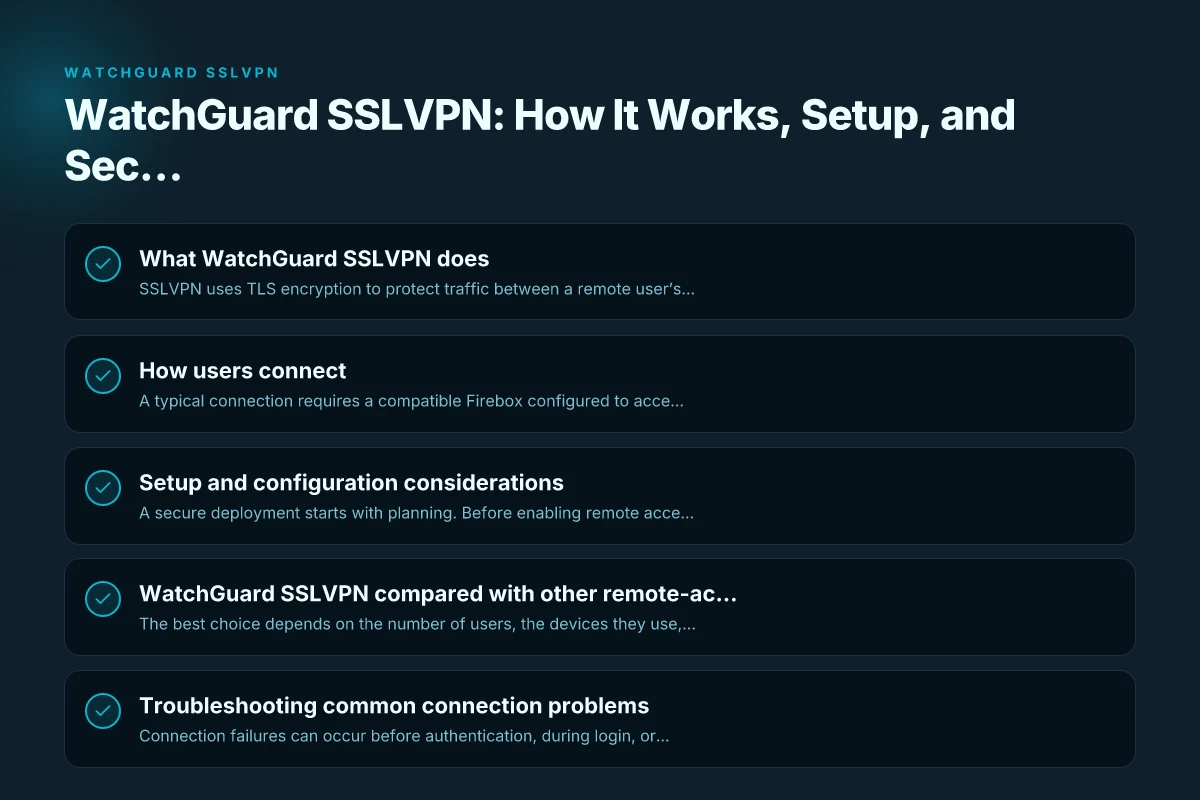
How users connect
A typical connection requires a compatible Firebox configured to accept SSLVPN connections, a user account or supported authentication provider, and the WatchGuard Mobile VPN with SSL client. Users generally need the correct server address and credentials, and may also need a configuration profile provided by their administrator.
The connection process usually looks like this:
- The user launches the VPN client and enters the Firebox’s VPN address.
- The Firebox verifies the user’s identity using the configured authentication method.
- The client and Firebox establish an encrypted connection.
- The user receives access according to assigned groups, routes, and firewall policies.
The VPN address must be reachable from the internet, which often means configuring an appropriate public address, DNS name, and firewall access. If the Firebox sits behind another router, that device may also need to forward the relevant traffic. Administrators should follow current WatchGuard documentation for the appliance and Fireware release in use rather than assume that settings are identical across deployments.
WatchGuard SSLVPN setup and decision checklist NordVPN Windows VPN: Setup, Features, and How to Use It
| Consideration | What to check | Why it matters | Decision cue |
|---|---|---|---|
| Firebox support | Confirm the appliance supports SSLVPN | Availability depends on device and configuration | Verify before planning deployment |
| User accounts | Define which users may connect | Limits access to approved users | Grant access by role |
| Authentication | Review password and any additional authentication controls | Helps protect accounts from misuse | Use strong authentication |
| User groups | Map users to the appropriate groups | Groups can govern access and policy | Keep permissions role-based |
| Network routes | Identify networks remote users need | Determines which resources are reachable | Allow only required routes |
| Firewall policy | Review traffic permitted through the tunnel | Access depends on policy, not just connection | Apply least privilege |
| Client configuration | Confirm client settings and distribution method | Incorrect settings can prevent connection | Use a managed configuration |
| DNS settings | Check name resolution for internal resources | Users may connect but fail to find services | Test internal names remotely |
Compiled November 2026; check the provider's site for current details.
Setup and configuration considerations
A secure deployment starts with planning. Before enabling remote access, decide which users need it, which internal services they require, and whether their devices are managed. Avoid granting broad network access simply because it is convenient.
Key configuration areas include:
- Authentication: Use individual accounts and, where supported, multi-factor authentication. Avoid shared credentials.
- Groups and permissions: Assign VPN access through appropriate groups and grant only the access each group needs.
- Firewall policies: Permit necessary traffic to defined destinations and services rather than allowing unrestricted access.
- Addressing and routing: Select a VPN address pool that does not conflict with networks users may connect from, and configure routes to the required internal resources.
- DNS: Provide the correct internal DNS settings if users need to access systems by hostname.
- Client deployment: Distribute the current client and connection details through a trusted channel.
Test the configuration with accounts representing different permission levels. Confirm that authorized resources are reachable and that unrelated systems remain inaccessible. Also test from an external network, since an internal test may not reveal DNS, routing, or upstream firewall issues. How to Check My VPN Location and Fix It if It’s Wrong
WatchGuard SSLVPN compared with other remote-access options
The best choice depends on the number of users, the devices they use, and the access they need. WatchGuard SSLVPN is one option within a broader remote-access strategy.
| Option | Typical purpose | Main consideration |
|---|---|---|
| WatchGuard Mobile VPN with SSL | Individual users connecting remotely to a Firebox | Requires client configuration and carefully scoped access |
| Site-to-site VPN | Connecting two or more fixed networks | Suited to office-to-office links, not individual user access |
| Browser-based remote access | Reaching a particular application through a web portal | May avoid a full network tunnel but supports only selected services |
| Zero-trust access service | Providing identity-based access to specific applications | May require separate services and integration work |
SSLVPN can be practical for organizations already using a compatible Firebox, especially when users need access to several internal resources. For access to only one or two applications, a more narrowly scoped application gateway or zero-trust service may be a better fit. Compare the operational requirements, licensing, security controls, and user experience before choosing.
SSLVPN troubleshooting and security maintenance
| Issue or task | Check | Practical action | Security priority |
|---|---|---|---|
| Connection fails | Client settings and server reachability | Confirm the endpoint and configuration | High |
| Login is rejected | Account status and authentication details | Verify access and reset credentials if needed | High |
| Connection works, resources do not | Routes and firewall policy | Check permitted networks and services | High |
| Internal names fail | DNS configuration | Confirm remote users receive usable DNS settings | Medium |
| Client is outdated | Installed client version | Update to a supported version | High |
| Firebox software is outdated | Firmware and security updates | Apply vendor updates using a maintenance plan | High |
| Access is broader than needed | Group membership and policy | Remove unnecessary permissions | High |
| Accounts or policies are stale | User access and configuration | Review periodically and disable obsolete access | High |
Compiled November 2026; check the provider's site for current details. Nord VPN in China: Does It Work and How to Prepare?
Troubleshooting common connection problems
Connection failures can occur before authentication, during login, or after the VPN appears connected. Check the stage of failure rather than changing several settings at once.
Useful checks include:
- Verify the server address, user credentials, and any required multi-factor prompt.
- Confirm that the Firebox is reachable from the user’s current network.
- Check that the client version and configuration are compatible with the Fireware version.
- Review Firebox logs for authentication failures, policy denials, or connection errors.
- If the VPN connects but internal systems do not, check routes, DNS settings, and firewall policies.
- Test whether the issue affects one user or multiple users. This can help distinguish a device problem from a service-wide issue.
Public Wi-Fi restrictions, endpoint security software, incorrect system time, and overlapping IP address ranges can also interfere with VPN connections. Administrators should use the Firebox logs and current WatchGuard guidance to identify the specific cause. Avoid weakening security controls as a quick fix.
Security and maintenance best practices
A VPN is an entry point into the network, so its security depends on more than encryption. Treat remote access as a high-value service and review it regularly. Does Microsoft Edge Have VPN? What Edge Secure Network Does
Recommended practices include:
- Require multi-factor authentication where available.
- Remove access promptly when a user changes roles or leaves the organization.
- Keep Fireware, VPN clients, and endpoint operating systems up to date.
- Limit access by user group, destination, and service.
- Monitor authentication and connection logs for unusual activity.
- Require managed, protected devices for sensitive systems where possible.
- Periodically test access rules and review accounts that have not been used.
Administrators should also consult WatchGuard release notes and security advisories when planning updates. A change to firmware, authentication, or network routing can affect VPN access, so test updates in line with the organization’s change-management process.
Recommendation
WatchGuard SSLVPN is a useful way to provide encrypted remote access through a compatible Firebox, provided it is configured with clear user permissions and restrictive firewall policies. Start by identifying the resources remote users actually need, enable strong authentication, and test both connectivity and access boundaries. For organizations that need access to only specific applications, compare SSLVPN with more application-focused options before expanding network-level access.